
Creating an Expert Profile is the simplest way to showcase your expertise so journalists and bloggers can find and contact you for relevant stories.
If you’re already a subscriber… just follow this step-by-step guide to set up your profile and increase your media visibility.
Step 1: Login to Your SourceBottle Account
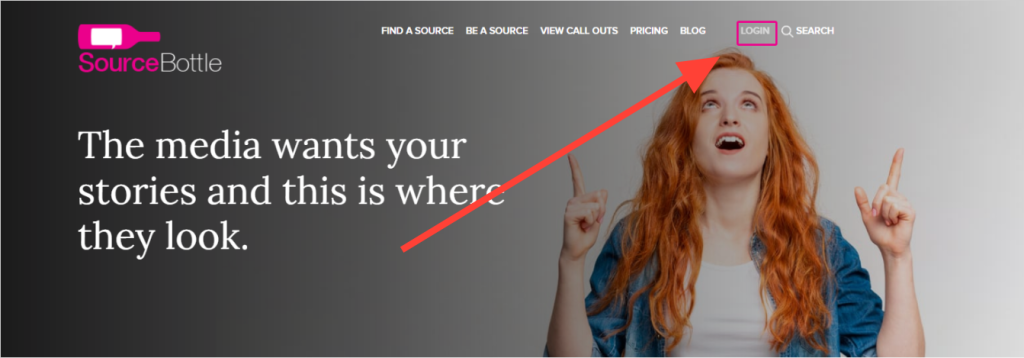
Click on ‘LOGIN‘.
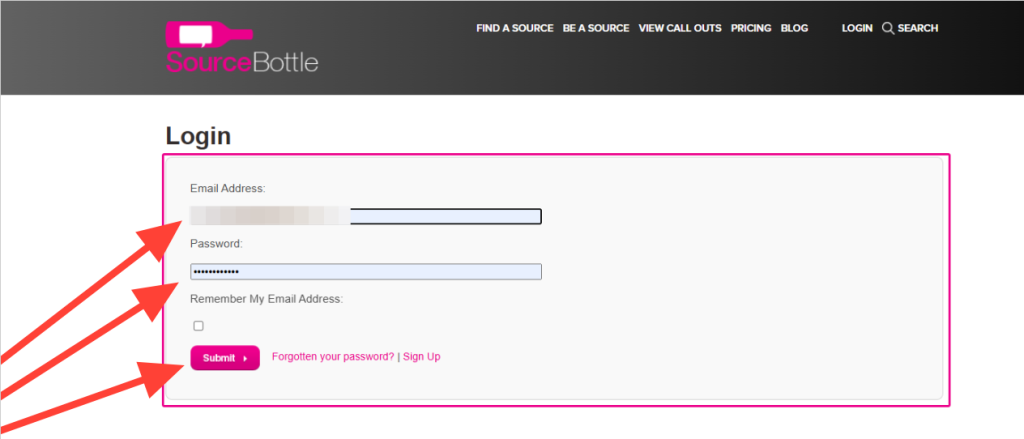
Enter your email and password and click ‘Submit’.
Step 2: Access Your Dashboard
Once logged in, you’ll land on the ‘Free publicity opportunities’ page.
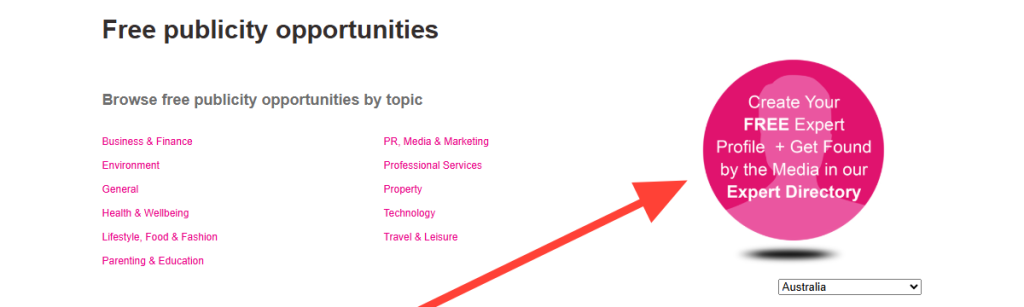
Here you’ll find live call outs by topic, and you can create your Expert Profile by clicking the pink ‘Create Your FREE Expert Profile’ button.
You can also access it via the drop-down menu under ‘Expert Profile/s’.

Step 3: Create Your Expert Profile
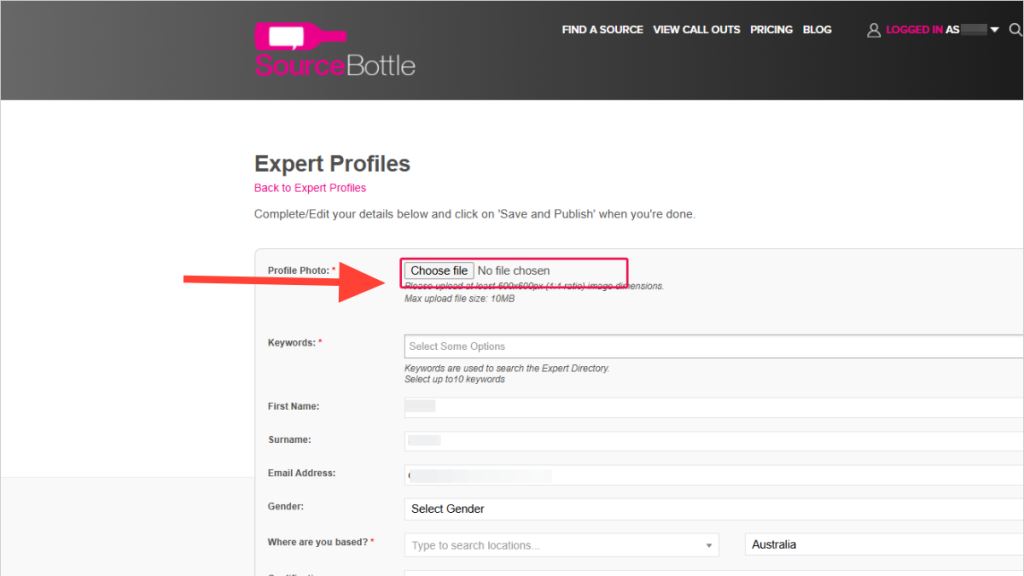
When completing your profile, keep the following in mind:
1. Upload a Great Profile Pic
Your photo is often the first impression a journalist will have of you. Choose one that:
- is clear, well-lit and high-resolution (at least 600x600px, max 10MB)
- can be cropped to a square (1:1 ratio)
- shows your personality or you “in action” doing what you are known for
Avoid: blurry or pixelated images, logos or product photos, and group shots.
Tip: A distinctive image will help you stand out in search results.
2. Add Targeted Keywords
Keywords help journalists (and our team) find you in searches. They are a mandatory part of your profile.
Do:
- Use specific words and phrases a journalist would search for (include abbreviations, e.g. “HR” and “human resources”).
- Include variations of terms (e.g. “employment” and “employment relations”).
- Use recognised abbreviations in capitals, without full stops (e.g. “AI”).
Avoid:
- Generic terms like “business”
- Misspellings or typos
- Hashtags (they do not improve searches on SourceBottle)
Tip: Think of the exact words a journalist would type into the search bar.
3. Write a Clear Summary
‘Your story in summary’ is your media pitch in 250 characters (including spaces) – so make it count!!
- State clearly who you are and what you do
- Highlight your unique experience, expertise, or the problems you solve
- Write in first person for authenticity (“I am a nutritionist specialising in…”)
- Keep it free of jargon
Tip: Be concise, authentic and engaging. Every character matters.
4. Provide Reliable Contact Details
- Use an email address you check daily (eg. bestemail@goingtoreachme.com)
- Double-check for typos
5. Add Active Links
- Include a working link to your website and social channels
- Test links to make sure they function correctly
6. Complete Your Profile
Answer all available questions. A full profile is more appealing to journalists than a partial one – and will appear earlier in a search.
Even optional details, such as gender, may be important in specific call outs.
Step 4: Publish Your Profile
Once complete, hit ‘Publish’.
Review and update your profile regularly so it continues to reflect your expertise and stays visible in searches.
PS: Are you receiving free publicity opportunities, straight into your inbox?
No?!! (Wha?)